
Tracking Be The Final Boss Updates: Live Verification Guide
Learn how to track and verify weekly Be The Final Boss updates using official Roblox sources, in-game menus, and developer announcements.
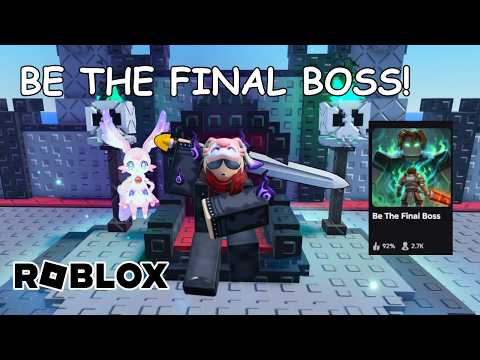 Official mediaLearn how to track and verify weekly Be The Final Boss updates using official Roblox sources, in-game menus, and developer announcements.YouTube
 To stay up to date with the latest be the final boss updates, players must monitor the official Roblox page and verify all mechanical changes directly in the live game. Because the developers release updates weekly—and sometimes multiple times per week—static guides can quickly become outdated. The current version, Update 1, introduces three new units, the Demonic mutation, Gold Rush, Shard Storm, Cursed Moon, and a Unit Index. To ensure your strategies remain effective, always prioritize the live in-game user interface over third-party wikis, check the developer's official announcements, and cross-reference tooltips for any unannounced stat adjustments.
Tracking Official Game Releases and Announcements
Keeping track of be the final boss updates requires a disciplined approach to sourcing information. The developers, Apparently Champions, maintain an active development cycle where updates are scheduled weekly and can occur more than once per week. Because of this high frequency, relying on static third-party wikis or outdated guides can lead to using obsolete strategies. The most reliable way to monitor these changes is to check the official Roblox experience first, followed immediately by inspecting the live in-game user interface.
Developer social channels are helpful for tracking upcoming features, but they do not always provide complete values or patch notes. A social media teaser might announce a new mutation or event name without detailing the exact percentages, costs, or mechanics. Therefore, players should treat social announcements as indicators of what to look for rather than the final authority on game balance. Always verify the actual numbers by logging into the game and checking the relevant menus.
| Source Type | Primary Platform | Verification Role |
|---|---|---|
| Official Roblox Page | Roblox Website | Verifying the latest version headline and official description details. |
| Live In-Game UI | Roblox Client | Verifying exact unit stats, mutation costs, skill trees, and weapon panels. |
| Developer Announcements | Verified Social Accounts | Tracking teasers and general patch directions (not exact values). |
| Fan Wikis & Communities | Third-Party Sites | Gathering initial ideas, but requires manual in-game verification. |
When tracking these changes, players often make the mistake of relying solely on community wikis. While wikis are built by dedicated players, they are prone to delays and manual errors. A community wiki might list stats from a previous patch, leading you to build formations that are no longer optimal. By prioritizing the official Roblox page and the live in-game UI, you ensure that you are always working with accurate, up-to-date data. Developer social accounts are a valuable secondary resource, but they should be used primarily to anticipate updates rather than to confirm exact mechanical values.
Current Patch Highlights: Update 1 Features
The official description for the current version highlights several major additions under the Update 1 headline. These features expand the core gameplay loop, introducing new units, mutations, and events. However, because the official description only lists the names of these features, players must use the live game interfaces to discover their exact properties.
Update 1 officially introduces three new units without naming them in the external description. Open the newly added Unit Index and use only the roster fields shown by the current game; do not assume that every rarity, ability, or stat is visible before checking.
| Update 1 Feature | Official Source Status | Verification Method |
|---|---|---|
| Three New Units | Confirmed in description | Inspect the in-game Unit Index for names and stats. |
| Demonic Mutation | Confirmed in description | Check the mutation panel for costs and success rates. |
| Gold Rush | Confirmed in description | Observe active gameplay events and UI indicators. |
| Shard Storm | Confirmed in description | Observe active gameplay events and UI indicators. |
| Cursed Moon | Confirmed in description | Observe active gameplay events and UI indicators. |
| Unit Index | Confirmed in description | Open the main menu index to view unit rosters. |
| Code "betheboss" | Confirmed in description | Redeem in the in-game codes interface. |
In addition to the new units and the Unit Index, Update 1 introduces the Demonic mutation. The exact mutation rates, stat multipliers, and unlock requirements are not specified in the official description. Players must open the mutation panel in-game to see how this new mutation compares to existing options. Similarly, the update lists the Gold Rush, Shard Storm, and Cursed Moon features. Players should observe the active event UI during gameplay to determine how these systems function.
Because the official description does not detail Gold Rush, Shard Storm, or Cursed Moon, inspect the live event panel and record only what is actually displayed. For the Demonic mutation, use the current mutation and unit interfaces to verify its requirements and effects. Use the Unit Index to identify whatever information the live version exposes for the three new units, then compare only confirmed fields.
Finally, the update includes various optimizations and bug fixes to improve performance. For promotional rewards, the only code officially confirmed by the Roblox description is betheboss. To find other active codes, players should inspect the in-game codes board rather than relying on unverified external lists.
Step-by-Step Verification Plan for New Patches
To ensure that your strategies remain viable after be the final boss updates occur, it is highly recommended to perform a weekly update check. This review process should be executed whenever the Roblox headline or description changes. Following a structured plan prevents you from using outdated tactics that may have been altered by a recent patch.
The verification process begins by recording the new version title and any details listed in the official description. Once this initial information is gathered, players should log into the game to conduct a thorough UI audit. This involves checking the codes board, the Unit Index, the skill tree, the weapon panel, and the active event UI.
| Inspection Step | Target Interface | Verification Goal |
|---|---|---|
| 1. Version Check | Roblox Game Page | Record the current version title and description text. |
| 2. UI Audit | In-Game Menus | Inspect the codes board, Unit Index, skill tree, and weapon panel. |
| 3. Formation Test | Active Gameplay | Run a stable, known formation to observe balance differences. |
| 4. Documentation | Strategy Guides | Update affected pages (codes, mutations, units, waves, farming). |
| 5. Site Verification | Web Build | Rebuild the site and verify all routes after making changes. |
After auditing the UI, players should retest a stable, familiar formation in active gameplay. This step is crucial for identifying undocumented balance changes. If a formation that previously cleared waves with ease now performs differently, it indicates that enemy scaling or unit stats have been adjusted. Document these differences to update your strategy guides accordingly.
During the formation test step, select a stable setup that you have run multiple times. Pay close attention to how quickly waves are cleared and whether your units sustain damage differently. Even if the patch notes only list "optimizations and bug fixes," these technical improvements can sometimes alter unit pathfinding or attack speeds. By running a controlled test, you can isolate these variables. If you notice a significant discrepancy, inspect your weapon panel and skill tree to verify that your active upgrades are still functioning as intended.
Managing Strategy Adjustments and Guide Updates
Updating your gameplay strategies requires careful coordination. When a patch alters the game, updating just one guide can lead to conflicting information across your notes or community resources. For example, if you update a unit's stats on one page but leave old values on a farming guide, players will encounter conflicting advice.
A key rule of thumb is to evaluate the scope of the update before rewriting your strategies. A changed headline that does not alter core mechanics may only require a dated note confirming that the version was checked and verified. However, if a tooltip, unit roster, or event effect changes, the associated strategy pages must be revised immediately.
| Observed Change | Impact Level | Action Required |
|---|---|---|
| Headline change only | Low | Add a dated note confirming the version was checked. |
| Tooltip or stat adjustment | Medium | Update the specific unit, weapon, or mutation guide. |
| New event or roster addition | High | Revise the event guide, unit tier lists, and farming strategies. |
| In-game code update | Medium | Update the codes list and check the in-game codes board. |
Always include a "last-modified" date on any guides or notes you compile. This date serves as a reference point for other players, showing them exactly which version of the game the guide aligns with. If the live game UI displays different values than your guide, the last-modified date helps identify that a newer update has likely altered the mechanics.
When updating strategy guides, ensure that all linked pages are revised in unison. If an update modifies a unit's performance, it will likely affect farming guides that rely on that unit. Leaving outdated stats on connected pages creates confusion for players trying to follow a cohesive progression path. If a patch only introduces minor changes, a simple dated note at the top of the guide confirming compatibility with the latest version is sufficient. However, major updates like Update 1, which introduce multiple new systems, require a comprehensive review of all strategy materials.
Frequently Asked Questions
What is the current Be The Final Boss update?
At the time of this review, the official Roblox description is labeled Update 1. Because the game updates frequently, players should recheck the official Roblox page to see if a newer version has been released.
How do I know a guide is current?
Look for a recent last-modified date and evidence derived from the current live UI. A reliable guide will avoid unsupported fixed numbers copied from older patches and will explain how to verify stats in-game.
Which source is most reliable?
The official Roblox experience and the current in-game interfaces are the most reliable sources. Verified developer accounts are useful for announcements, but the live game UI is the final authority for all stats and mechanics.
Related Guides
Be The Final Boss Discord: Verified Links and Community Safety
Find verified community channels for Be The Final Boss. Learn how to spot unofficial Discord invites and follow official update logs safely.
Be The Final Boss Patch Notes: Verified Update Tracker
Track the latest Be The Final Boss patch notes, verified updates, and in-game changes directly from the developers.
Be The Final Boss Update 1: New Units, Demonic Mutation, and Events
Review the Be The Final Boss Update 1 additions, including three new units, the Demonic mutation, and official events like Gold Rush and Shard Storm.
Official Be The Final Boss X Account and Update Guide
Learn how to follow the official Be The Final Boss X account, verify weekly developer announcements, and check live in-game updates safely.