
Be The Final Boss Patch Notes: Rastreador de Atualizações Verificadas
Acompanhe as últimas patch notes de Be The Final Boss, atualizações verificadas e mudanças no jogo diretamente dos desenvolvedores.
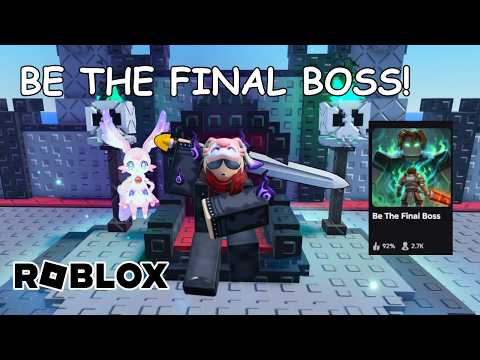 Mídia oficialAcompanhe as últimas patch notes de Be The Final Boss, atualizações verificadas e mudanças no jogo diretamente dos desenvolvedores.YouTube
 Encontrar patch notes confiáveis de Be The Final Boss exige olhar para os lançamentos oficiais dos desenvolvedores em vez de boatos não verificados da comunidade. O desenvolvedor, Apparently Champions, atualiza o jogo semanalmente, às vezes lançando atualizações várias vezes por semana. A principal fonte para atualizações verificadas é a descrição oficial do jogo, que atualmente destaca as principais adições no Update 1.
Este guia fornece o rastreador verificado para atualizações recentes, explica como confirmar as mudanças usando a interface de usuário em tempo real dentro do jogo e descreve um fluxo de trabalho passo a passo para verificar futuras patch notes conforme forem lançadas. Para entrar direto na ação, você pode visitar a Be The Final Boss Roblox Experience.
Adições Verificadas no Update 1
O primeiro grande marco oficial do jogo é o Update 1. De acordo com a descrição oficial do jogo, esta atualização introduziu vários novos sistemas, otimizações e atualizações de conteúdo projetadas para expandir a jogabilidade.
Como os desenvolvedores não publicam taxas de porcentagem exatas ou tabelas de estatísticas em suas descrições públicas, os jogadores devem verificar os atributos específicos desses recursos olhando para os menus em tempo real dentro do jogo.
Os recursos oficialmente confirmados introduzidos no Update 1 incluem:
| Nome do Recurso | Classificação Oficial | Método de Verificação |
|---|---|---|
| Três Novas Unidades | Adições de Unidades | Verifique o Unit Index no jogo |
| Demonic Mutation | Sistema de Mutação | Inspecione a interface de mutação para ver as taxas |
| Gold Rush | Evento / Modo de Jogo | Verifique o status do evento ativo no jogo |
| Shard Storm | Evento / Modo de Jogo | Verifique o status do evento ativo no jogo |
| Cursed Moon | Evento / Modo de Jogo | Verifique o status do evento ativo no jogo |
| Unit Index | Otimização de Interface | Abra o menu do Unit Index no lobby principal |
Além dessas grandes adições, a atualização também incluiu otimizações gerais de desempenho e correções de bugs para estabilizar gameplay. As três novas unidades não são nomeadas na descrição oficial, o que significa que os jogadores devem consultar o recém-adicionado Unit Index no jogo para ver seus nomes, visuais e estatísticas básicas.
Como Verificar os Valores do Jogo em Tempo Real
Como o jogo recebe atualizações semanais frequentes, guias estáticos e wikis da comunidade podem ficar desatualizados rapidamente. Quando ocorrem ajustes de equilíbrio, os desenvolvedores podem alterar as estatísticas das unidades, os custos de melhoria ou as taxas de mutação sem atualizar a descrição principal do Roblox.
Para garantir que você esteja trabalhando com dados precisos, você deve sempre tratar a interface de usuário atual dentro do jogo como a autoridade final. Se você notar uma discrepância entre um guia online e a sua tela, dê prioridade aos números mostrados no jogo em tempo real.
Use a seguinte tabela de referência de verificação para localizar os valores ativos no jogo:
| Elemento do Jogo | O que Procurar | Localização no Jogo em Tempo Real |
|---|---|---|
| Taxas de Mutação | Chance percentual exata | Menu / interface de mutação |
| Estatísticas de Unidades | Dano base, velocidade e alcance | Unit Index ou tela de posicionamento |
| Ajustes de Custo | Custo de posicionamento ou melhoria | Interface de jogabilidade ativa |
| Status de Código Ativo | Validade do código e recompensas | Menu de resgate de códigos dentro do jogo |
Se você estiver tentando determinar se uma unidade específica recebeu um buff ou nerf, compare suas estatísticas atuais em tempo real com seu próprio histórico de jogo registrado. Evite fazer a média de números conflitantes encontrados em fóruns da comunidade, pois estes frequentemente misturam versões mais antigas do jogo com o patch atual.
Códigos Promocionais Ativos e Verificação
Códigos promocionais são lançados ocasionalmente junto com grandes patches e marcos. De acordo com a descrição oficial do Roblox, o único código ativo confirmado é betheboss.
Ao inserir códigos, lembre-se de que os desenvolvedores podem desativá-los durante atualizações semanais ou pequenas correções rápidas (hotfixes). Se um código não funcionar, verifique o chat do jogo em tempo real ou a descrição oficial para ver se um código mais recente o substituiu.
| Código | Status da Fonte | Ação de Verificação |
|---|---|---|
| betheboss | Confirmado na Descrição do Roblox | Resgatar no cliente de jogo ativo |
Não confie em sites externos que afirmam ter códigos exclusivos que não estão listados na descrição oficial do jogo ou nos canais verificados dos desenvolvedores. Tentar códigos não verificados pode desperdiçar tempo e levar a confusões sobre as recompensas ativas do jogo.
Fluxo de Trabalho Passo a Passo para Verificação de Atualizações
Para acompanhar as mudanças semanais sem cair em falsos boatos, você pode seguir um fluxo de trabalho de verificação estruturado. Esse processo ajuda a separar as adições confirmadas dos desenvolvedores das especulações da comunidade.
Use este fluxo de trabalho sempre que uma nova manchete de atualização aparecer na página do jogo no Roblox:
| Passo | Ação | Resultado Esperado |
|---|---|---|
| 1. Capturar Descrição | Leia a página da experiência no Roblox | Identificar a manchete da versão atual |
| 2. Inspecionar a UI do Jogo | Navegue pelos menus e index | Listar nomes e custos recém-adicionados |
| 3. Cruzar Referências | Compare as alegações da comunidade | Sinalizar valores não verificados como estimativas |
| 4. Atualizar Guias | Remova números desatualizados | Manter registros precisos e com carimbo de data |
Primeiro, documente a manchete da versão oficial e o texto da descrição. Anote quaisquer recursos específicos nomeados pelo desenvolvedor, como novas mutações ou modos de jogo.
Segundo, inicie o jogo e abra as interfaces relevantes. Verifique o Unit Index para identificar quaisquer unidades não nomeadas e revise o menu de mutação para ver se alguma taxa mudou.
Terceiro, rotule quaisquer estratégias da comunidade ou tier lists como interpretações, em vez de patch notes oficiais. Se duas fontes da comunidade discordarem sobre uma taxa de drop ou porcentagem específica, deixe o valor como não verificado até que você possa confirmá-lo por si mesmo através de testes de jogabilidade.
Por fim, atualize suas notas ou guias pessoais, removendo quaisquer valores fixos que não possam mais ser verificados no jogo em tempo real. Isso garante que você não dependa de mecânicas obsoletas de patches anteriores.
Perguntas Frequentes
Onde as patch notes oficiais são postadas?
A descrição oficial da experiência no Roblox atualmente resume a atualização ativa. Avisos dentro do jogo e contas de redes sociais verificadas dos desenvolvedores podem adicionar contexto.
Com que frequência o jogo é atualizado?
O desenvolvedor indica atualizações semanais, às vezes mais de uma vez por semana, na descrição oficial.
Por que os valores dos guias desaparecem após um patch?
Valores fixos não verificados são removidos quando a UI em tempo real ou as notas oficiais não os suportam mais. Isso evita que números desatualizados induzam os jogadores ao erro.
Guias relacionados
Acompanhando as Atualizações de Be The Final Boss: Guia de Verificação ao Vivo
Saiba como acompanhar e verificar as atualizações semanais de Be The Final Boss usando fontes oficiais do Roblox, menus do jogo e anúncios dos…
Be The Final Boss Update 1: Novas Unidades, Mutação Demonic e Eventos
Confira as novidades do Be The Final Boss Update 1, incluindo três novas unidades, a mutação Demonic e eventos oficiais como Gold Rush e Shard Storm.
Discord de Be The Final Boss: Links Verificados e Segurança da Comunidade
Encontre canais oficiais da comunidade de Be The Final Boss. Saiba como identificar convites falsos para o Discord e acompanhar as atualizações com…
Guia Oficial da Conta do X e de Atualizações de Be The Final Boss
Saiba como seguir a conta oficial do X de Be The Final Boss, verificar anúncios semanais dos desenvolvedores e conferir atualizações em tempo real no…