
Be The Final Boss Codes: Official Release Code and Redemption Guide
Get the active Be The Final Boss codes, learn how to redeem them in-game, and verify rewards using the official Roblox description and game board.
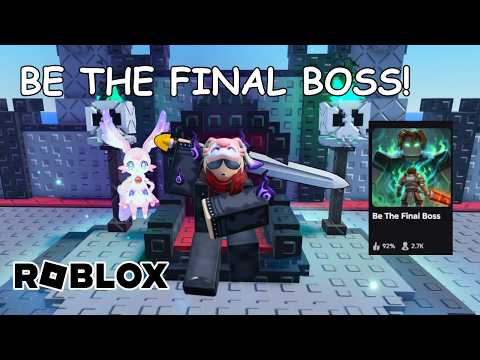 Official mediaGet the active Be The Final Boss codes, learn how to redeem them in-game, and verify rewards using the official Roblox description and game board.YouTube
 Looking for the latest be the final boss codes? The official release code is betheboss. You can redeem this code directly inside the Be The Final Boss experience published by Apparently Champions on Roblox. Because code rewards can change and are processed directly by the game server, players should verify the exact items or bonuses received upon successful redemption. To ensure you do not miss out on new codes, check the in-game codes board and the official Roblox game description regularly.
Official Active Code Registry
When searching for valid codes, it is essential to rely on verified sources. The development team, Apparently Champions, lists the initial release code directly on the game page. Using unverified third-party lists can lead to frustration, as codes can expire without prior notice.
The official release code is currently active and available for all players. Because the developers do not state a fixed reward amount in the official description, players must observe the game interface upon redemption to see what they receive.
Below is the active code registry based on official game information:
| Code | Source Verification | Status | Reward Details |
|---|---|---|---|
betheboss | Official Roblox Game Description | Active | Server-determined (Check in-game UI upon redemption) |
How to Redeem Codes in Be The Final Boss
Redeeming your code is a straightforward process, though the user interface may shift slightly during weekly updates. Currently, the code entry field is integrated within the settings menu flow.
Follow these practical steps to claim your reward:
- Join the official Be The Final Boss Roblox experience.
- Open the settings menu located on your screen.
- Scroll down until you find the designated code entry area.
- Enter the code
bethebossexactly as written, ensuring there are no leading or trailing spaces. - Select the redeem control once and wait for the game server to process the request.
| Step | Action Required | Location in UI |
|---|---|---|
| 1 | Join the game server | Roblox Platform |
| 2 | Open settings menu | Main Game Screen |
| 3 | Scroll to code entry area | Settings Panel |
| 4 | Enter code exactly as written | Text Input Field |
| 5 | Select the redeem control | Submit Button |
Troubleshooting Code Redemption Issues
If the game does not accept the entry, start with checks that do not require guessing about the cause. Compare the text character by character with the official description, remove any spaces before or after it, and check the current in-game codes board. The official source confirms the code text, but it does not document every possible response shown by the live game.
Record the exact message shown on screen and the time you tested it. If the code is still present in the official description or on the in-game board, that evidence is more useful than a third-party status label. Do not assume a particular reward or expiration status when the live interface does not confirm it.
Here is a guide to evaluating and solving redemption errors:
| Check | What to compare | Verification step |
|---|---|---|
| Code text | betheboss exactly as listed | Retype it without leading or trailing spaces |
| Official status | Current Roblox description | Confirm that the developer still lists the code |
| In-game status | Current codes board and response | Use the wording shown by the live game |
| Reward | Current server result | Do not rely on an unverified fixed amount |
How to Find New Codes and Update Info
The developers of Be The Final Boss roll out updates frequently. According to the official game page, updates are scheduled weekly and may occur more than once per week. With frequent updates, active codes can change rapidly.
To stay updated on new releases, players should check the in-game codes board. This physical board inside the game lobby displays the most recent active codes confirmed by the developers. Comparing the in-game board with the official Roblox experience description is the most reliable way to find new codes.
| Verification Source | Update Frequency | Action to Perform |
|---|---|---|
| In-Game Codes Board | Real-time | Check the physical board inside the game lobby |
| Roblox Game Description | Weekly (or more frequent) | Read the active description text before launching |
Frequently Asked Questions
What is the active Be The Final Boss code?
The official Roblox game description lists betheboss as the release code.
What does betheboss give?
The official description does not state the exact reward amount. You must redeem it in-game and use the reward displayed by the current game server.
Where can I find new codes?
Check the in-game codes board and the official Roblox experience description before relying on third-party lists.