
Be The Final Boss Discord: Verified Links and Community Safety
Find verified community channels for Be The Final Boss. Learn how to spot unofficial Discord invites and follow official update logs safely.
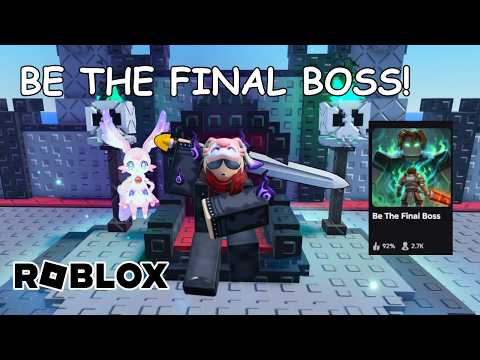 Official mediaFind verified community channels for Be The Final Boss. Learn how to spot unofficial Discord invites and follow official update logs safely.YouTube
 If you are searching for the official be the final boss discord server to chat with other players, track weekly updates, or grab active promo codes, you must exercise caution. Currently, no dedicated official Discord invite has been verified by the developers. To avoid phishing attempts and fake community spaces, players should rely on official channels published directly by the development team.
The verified development channels include the Apparently Champions Roblox group, ApparentlyGames on X (formerly Twitter), and PlayApparentlyGames on YouTube. Until an official Discord link is published on the game's Roblox page, treat all community servers as unofficial and never share your account credentials.
Official Developer Channels and Verification Sources
When searching for reliable community hubs, your first stop should always be the official game page. The developer, Apparently Champions on Roblox, maintains the experience and updates it frequently. You can access the official experience directly via the [UPD1] Be The Final Boss page.
Because third-party platforms are flooded with unofficial servers, you should only trust social links that are hardcoded onto the Roblox experience page or posted by verified developer accounts. If a Discord server is not linked directly on the Roblox game page or the official Roblox group, it cannot be verified as authentic.
The table below lists the verified developer channels where you can safely follow news and announcements:
| Channel Name | Platform | Primary Purpose | Verification Status |
|---|---|---|---|
| Apparently Champions | Roblox Group | Official developer group, community hub, and game host | Verified |
| ApparentlyGames | X (Twitter) | Developer announcements and social updates | Verified |
| PlayApparentlyGames | YouTube | Video previews and developer showcases | Verified |
| [UPD1] Be The Final Boss | Roblox Experience | Main game client, official description updates, and active codes | Verified |
How to Verify a Community Invite Link
If you encounter an invite link for a Discord server claiming to be the official community hub, you must verify its origin before joining. Many fan-made servers use official game artwork and name themselves after the experience to attract members, but they do not have developer oversight.
To protect your Roblox account, follow these practical steps to evaluate any Discord server invite:
- Check the Source: Look for the invite link directly on the official Roblox experience page. If it is not listed in the social links section, it is not an officially recognized server.
- Compare Publishing Accounts: If you find an invite link on social media, check the username. Compare it against the verified developer accounts (ApparentlyGames on X or PlayApparentlyGames on YouTube).
- Inspect the Destination: Before clicking "Accept Invite" or authorizing any Discord application, verify what permissions are being requested. A safe server will never ask you to link your account via external, unverified bots that request access to your Roblox session.
- Avoid File Downloads: Never download executables, scripts, or browser extensions in exchange for special roles, codes, or in-game items.
- Label Unofficial Servers: If an invite link only exists on a fan-run code site or a forum, treat it as unofficial. A large member count does not prove developer ownership.
| Verification Factor | Safe Indicator | Warning Sign | Action Required |
|---|---|---|---|
| Link Origin | Found on the official Roblox game details page. | Found on a third-party blog, fan site, or sent via DM. | Ignore the link unless verified on the official page. |
| Verification Bots | Standard Discord bots that do not request credentials. | Bots asking for Roblox cookies or passwords. | Disconnect from the server immediately. |
| Required Actions | Joining and reading public channels. | Installing browser extensions or running .exe files. | Do not download or install any files. |
| Developer Presence | Verified group owners listed in the member sidebar. | No official developer accounts present in the staff list. | Treat all shared information as unverified rumors. |
Official Update Cadence and Patch Tracking
Because there is no dedicated official Discord server hosting patch notes, players must monitor the official Roblox game description to track changes. The developers have established a frequent release cycle to keep the experience fresh.
According to the official Roblox description, updates are scheduled weekly and may occur more than once per week. This rapid development cycle means that mechanics, balance adjustments, and new content are introduced regularly.
For example, the release of Update 1 introduced several major features directly visible in the game's UI and description. Rather than relying on unofficial Discord messages for game mechanics, players can verify these additions by looking at the live game interface.
| Update 1 Feature | Category | Verification Method in Live Game |
|---|---|---|
| Three New Units | Content | Check the in-game Unit Index for new entries. |
| Demonic Mutation | System | View the active mutation list in the game UI. |
| Gold Rush | Event/Mechanic | Look for active event indicators during gameplay. |
| Shard Storm | Event/Mechanic | Look for active event indicators during gameplay. |
| Cursed Moon | Event/Mechanic | Look for active event indicators during gameplay. |
| Unit Index | Feature | Open the dedicated Unit Index menu from the main UI. |
To verify how these features function, you should always consult the live game UI. The in-game menus serve as the final authority for costs, unit stats, and event behaviors.
Redeeming Codes and Avoiding Scams
Unofficial Discord servers often promise exclusive codes or giveaways to entice players to join. However, the developer only confirms codes through official channels. The only code officially confirmed by the Roblox game description is betheboss.
When attempting to redeem codes or participate in the community, keep these security rules in mind:
- No Password Sharing: No official code redemption process will ever require you to input your Roblox password.
- No Cookie Sharing: Never share your Roblox session cookies (such as the
.ROBLOSECURITYcookie). Sharing this cookie allows malicious actors to bypass your password and two-factor authentication to access your account. - Verify via Description: Before trying a code you found on a community server, check the description of the official Roblox experience. The developers update the description with active codes.
| Code / Offer | Source | Safety Status | Action |
|---|---|---|---|
betheboss | Official Roblox Description | Verified & Safe | Redeem directly in the live game client. |
| Fan-Shared Codes | Unofficial Discord Servers | Unverified | Verify against the Roblox description before trying. |
| Verification Links | Third-Party Discord Bots | High Risk | Never log in or share cookies to verify your account. |
| Reward Downloads | Unofficial Giveaways | Dangerous | Never download software or browser extensions. |
Frequently Asked Questions
Does Be The Final Boss have an official Discord?
A dedicated official Discord invite was not verified during this site's source review. Do not trust servers using the game's name or artwork unless they are linked directly on the official Roblox experience page or by the developer group, Apparently Champions.
Where should I follow updates?
You should follow updates on the official Roblox experience page, the Apparently Champions community group on Roblox, ApparentlyGames on X, and PlayApparentlyGames on YouTube. The developers push updates weekly, and sometimes more than once per week.
Are fan Discord servers safe?
Treat all fan-run Discord servers as third-party communities. Do not share your Roblox passwords or session cookies, and do not download any files or browser extensions in exchange for codes, units, or in-game rewards.
Related Guides
Be The Final Boss Patch Notes: Verified Update Tracker
Track the latest Be The Final Boss patch notes, verified updates, and in-game changes directly from the developers.
Be The Final Boss Update 1: New Units, Demonic Mutation, and Events
Review the Be The Final Boss Update 1 additions, including three new units, the Demonic mutation, and official events like Gold Rush and Shard Storm.
Official Be The Final Boss X Account and Update Guide
Learn how to follow the official Be The Final Boss X account, verify weekly developer announcements, and check live in-game updates safely.
Tracking Be The Final Boss Updates: Live Verification Guide
Learn how to track and verify weekly Be The Final Boss updates using official Roblox sources, in-game menus, and developer announcements.