
Offizieller Be The Final Boss X-Account und Update-Leitfaden
Erfahren Sie, wie Sie dem offiziellen Be The Final Boss X-Account folgen, wöchentliche Entwicklerankündigungen verifizieren und Live-In-Game-Updates…
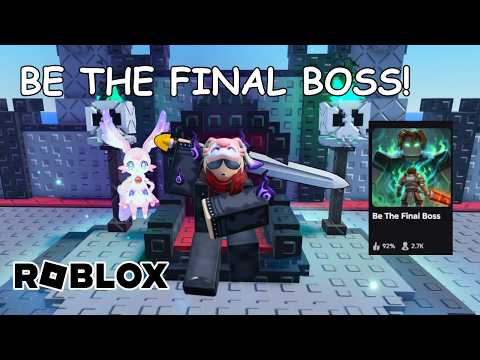 Offizielle MedienErfahren Sie, wie Sie dem offiziellen Be The Final Boss X-Account folgen, wöchentliche Entwicklerankündigungen verifizieren und Live-In-Game-Updates…YouTube
 Um über die neuesten wöchentlichen Patches, neuen Einheiten und Balance-Änderungen auf dem Laufenden zu bleiben, orientieren sich die Spieler am offiziellen be the final boss x Account, der vom Entwickler ApparentlyGames betrieben wird. Während Social-Media-Vorschauen frühe Einblicke in kommende Inhalte bieten, sind nicht alle Online-Informationen korrekt. Um Scams und veraltete Leitfäden zu vermeiden, müssen Spieler Ankündigungen mit der offiziellen Roblox-Spielbeschreibung und der Live-Benutzeroberfläche im Spiel abgleichen. Dieser Leitfaden beschreibt die offiziellen Kommunikationskanäle, wie man Spiel-Updates verifiziert und wie man neue Features wie die Demonic mutation, Gold Rush, Shard Storm, Cursed Moon und den Unit Index sicher verfolgt.
Offizielle Kommunikationskanäle für das Spiel
Das Finden verifizierter Informationen ist entscheidend, wenn man Updates für Be The Final Boss verfolgt. Die Entwickler veröffentlichen Vorschauen, Patchnotizen und Ankündigungen auf einigen spezifischen Plattformen. Sich auf nicht verifizierte Drittanbieter-Seiten zu verlassen, kann zu falschen Erwartungen, veralteten Codes oder Sicherheitsrisiken führen.
Der primäre Social-Media-Account der Entwickler ist ApparentlyGames auf X (ehemals Twitter). Zusätzlich zu diesem Account können Spieler die Apparently Champions Roblox-Community-Gruppe und den PlayApparentlyGames YouTube-Kanal im Auge behalten. Diese Plattformen sind die einzigen verifizierten Quellen für Entwicklerankündigungen.
| Plattform | Offizieller Kanal / Identifier | Zweck |
|---|---|---|
| X (Twitter) | x.com/ApparentlyGames | Entwicklerankündigungen, Teaser und Vorschauen |
| Roblox Community | Apparently Champions | Offizielle Gruppen-Updates und Community-Interaktionen |
| YouTube | PlayApparentlyGames | Offizielle Videovorschauen und Entwickler-Updates |
| Roblox Experience | Be The Final Boss | Live-Spielbeschreibung und Patchnotizen |
Wenn Sie soziale Medien prüfen, bestätigen Sie immer die exakte Schreibweise des Handles. Betrüger könnten den Anzeigenamen kopieren, während sie einen anderen Benutzernamen verwenden, um unbefugte Giveaways oder gefälschte Updates zu bewerben.
Drei-Quellen-Verifizierungsmethode
Social-Media-Teaser sind spannend, repräsentieren aber nicht immer den endgültigen Zustand eines Features. Ein Entwickler könnte Einheitenraten anpassen, Kosten ändern oder eine Mechanik verzögern, bevor sie live geht. Um Verwirrung zu vermeiden, sollten Spieler einen Drei-Quellen-Check durchführen, bevor sie einen Social-Media-Post als offizielle Patchnotizen akzeptieren.
Erstens: Bestätigen Sie, dass der Post vom verifizierten x.com/ApparentlyGames Handle stammt. Achten Sie genau auf die Schreibweise, da Nachahmer oft Anzeigenamen kopieren, während sie leicht veränderte Handles verwenden, um gefälschte Giveaways oder falsche Updates zu posten.
Zweitens: Überprüfen Sie die offizielle Roblox-Beschreibungsseite des Spiels. Die Entwickler aktualisieren den Beschreibungstext, wenn ein Patch live geht, und listen dort die offiziellen Änderungen auf.
Drittens: Treten Sie dem Live-Spielerlebnis bei und inspizieren Sie die Benutzeroberfläche. Wenn ein angekündigtes Feature in der UI nicht sichtbar ist, betrachten Sie es eher als kommende Vorschau und nicht als Live-Mechanik.
| Schritt | Aktion | Worauf zu achten ist |
|---|---|---|
| 1. Quellen-Check | Den X-Handle prüfen | Sicherstellen, dass er exakt ApparentlyGames entspricht |
| 2. Beschreibungs-Check | Die Roblox-Spielseite lesen | Nach aktualisierten Versionsnummern oder Patch-Listen suchen |
| 3. Live-Check | Die In-Game-UI öffnen | Verifizieren, dass das Feature aktiv ist, und Live-Stats prüfen |
Indem Sie diese drei Schritte befolgen, können Sie vermeiden, Zeit mit Features zu verschwenden, die sich noch in der Entwicklung befinden oder vor der Veröffentlichung geändert wurden.
Verfolgung von wöchentlichen Updates und Patchnotizen
Updates für das Spiel erscheinen wöchentlich, und manchmal werden sie mehr als einmal pro Woche veröffentlicht. Dieser schnelle Update-Zyklus bedeutet, dass Leitfäden schnell veralten können. Wenn ein neuer Patch erscheint, wird die offizielle Roblox-Beschreibung aktualisiert, um den neuesten Inhalt widerzuspiegeln.
Zum Beispiel führte Update 1 offiziell mehrere wichtige Features ein, darunter drei neue Einheiten, die Demonic mutation, Gold Rush, Shard Storm, Cursed Moon und einen Unit Index. Das Update enthielt auch Leistungsoptimierungen und Fehlerbehebungen.
Um zu prüfen, ob diese Features auf Ihrem Server aktiv sind, suchen Sie nach dem Unit Index im Menü des Spiels. Wenn der Unit Index vorhanden ist, läuft auf Ihrem Server die aktualisierte Version des Spiels.
| Update 1 Feature | Ort für Live-Verifizierung |
|---|---|
| Drei neue Einheiten | Unit Index / Summon Altar UI |
| Demonic mutation | Mutations-Menü oder Einheiten-Status-UI |
| Gold Rush | Live-Gameplay-Interface |
| Shard Storm | Live-Gameplay-Interface |
| Cursed Moon | Live-Gameplay-Interface |
| Unit Index | Hauptspielmenü / UI |
Wenn Sie Diskrepanzen zwischen Social-Media-Posts und dem Live-Spiel feststellen, geben Sie der Live-In-Game-UI den Vorrang. Die Statistiken, Kosten und Features, die im aktiven Spiel-Client angezeigt werden, sind immer die endgültige Instanz.
Richtlinien für sicheres Spielen und Kontosicherheit
Bei der Suche nach Social-Media-Accounts der Entwickler oder Promo-Codes sollte Sicherheit immer Ihre oberste Priorität sein. Viele bösartige Websites und Social-Media-Accounts versuchen, Spieler auszunutzen, indem sie kostenlose Belohnungen oder exklusive Gegenstände versprechen.
Der einzige Code, der offiziell durch die Roblox-Spielbeschreibung bestätigt wurde, ist betheboss. Alle anderen Codes, die auf Drittanbieter-Websites oder in Social-Media-Antworten gefunden werden, sollten mit Vorsicht behandelt werden. Vertrauen Sie keinen Accounts, die behaupten, Codes im Austausch für Ihre Roblox-Zugangsdaten oder persönlichen Informationen anzubieten.
Geben Sie außerdem niemals Ihr Roblox-Passwort oder Ihre Kontodaten auf einer externen Giveaway-Website ein. Offizielle Giveaways von ApparentlyGames werden niemals Ihr Passwort oder sensible Kontoinformationen abfragen.
| Sichere Aktion | Unsichere Aktion |
|---|---|
Den Code betheboss in der offiziellen Spiel-UI verwenden | Zugangsdaten auf externen „Code-Generator“-Seiten eingeben |
x.com/ApparentlyGames auf Ankündigungen prüfen | Auf Links in Social-Media-Kommentarbereichen klicken |
| Features in der Live-Spiel-UI verifizieren | Sich auf inoffizielle Leaks oder Fan-Konzepte verlassen |
Die Sicherheit Ihres Kontos gewährleistet, dass Sie Updates weiterhin sicher genießen können, wenn die Entwickler neue Inhalte veröffentlichen.
Häufig gestellte Fragen
Was ist der Be The Final Boss X-Account?
Der verifizierte Social-Media-Account der Entwickler für Updates und Ankündigungen ist https://x.com/ApparentlyGames. Verifizieren Sie immer die exakte URL, um gefälschte Accounts zu vermeiden.
Ist jeder X-Post eine offizielle Patchnotiz?
Nein. Betrachten Sie Entwickler-Posts auf X als Ankündigungen oder Vorschauen, bis die offizielle Roblox-Beschreibung oder die Live-In-Game-UI das veröffentlichte Verhalten bestätigt.
Welche anderen offiziellen Quellen gibt es?
Sie können der Apparently Champions Roblox-Community-Gruppe, dem PlayApparentlyGames YouTube-Kanal und der offiziellen Roblox-Experience-Seite für verifizierte Spieldetails folgen.
Verwandte Guides
Be The Final Boss Discord: Verifizierte Links und Community-Sicherheit
Finden Sie verifizierte Community-Kanäle für Be The Final Boss. Erfahren Sie, wie Sie inoffizielle Discord-Einladungen erkennen und offiziellen…
Be The Final Boss Patch Notes: Verifizierter Update-Tracker
Verfolge die neuesten Be The Final Boss Patch Notes, verifizierten Updates und Änderungen im Spiel direkt von den Entwicklern.
Be The Final Boss Update 1: Neue Einheiten, Demonic-Mutation und Events
Überprüfen Sie die Neuerungen von Be The Final Boss Update 1, einschließlich drei neuer Einheiten, der Demonic-Mutation und offizieller Events wie Gold…
Verfolgung von Be The Final Boss-Updates: Live-Verifizierungsleitfaden
Erfahren Sie, wie Sie wöchentliche Be The Final Boss-Updates mithilfe offizieller Roblox-Quellen, In-Game-Menüs und Entwicklerankündigungen verfolgen und…